
|
|
||||
| Home | Services | CDISC | Software | About us |
 Version 1.6 now available
What is it ?
Viewing Study Events information
Viewing all available forms
Clinical data information by ItemGroup
Creating and visualizing subsets
Saving views as PDF
New features of version 1.6
New features of version 1.5
New features of version 1.4
New features of version 1.3 - working with audit trails
Tailoring with your required functionality
Pricing
Download the evaluation version
The ODM Viewer is the first tool on the market to visualize CDISC ODM 1.2 or 1.3 files in a very user-friendly way.
The data are visualized as neatly ordered HTML tables with hyperlinks and with easy navigation through the whole contents of the ODM file.
This means that the user never sees any XML !
The HTML tables can also be saved as PDF files for reporting purposes.
The ODM Viewer is the ideal tool for all those working with CDISC ODM files, whether it be at the sponsor, at the CRO, the EDC vendor, or by the investigator.
Especially for investigators and reviewers, it is the ideal software tool to visualize data from ODM files that have been received after the database has been closed, and
an archive of the study data was received in ODM format.
|
How it works
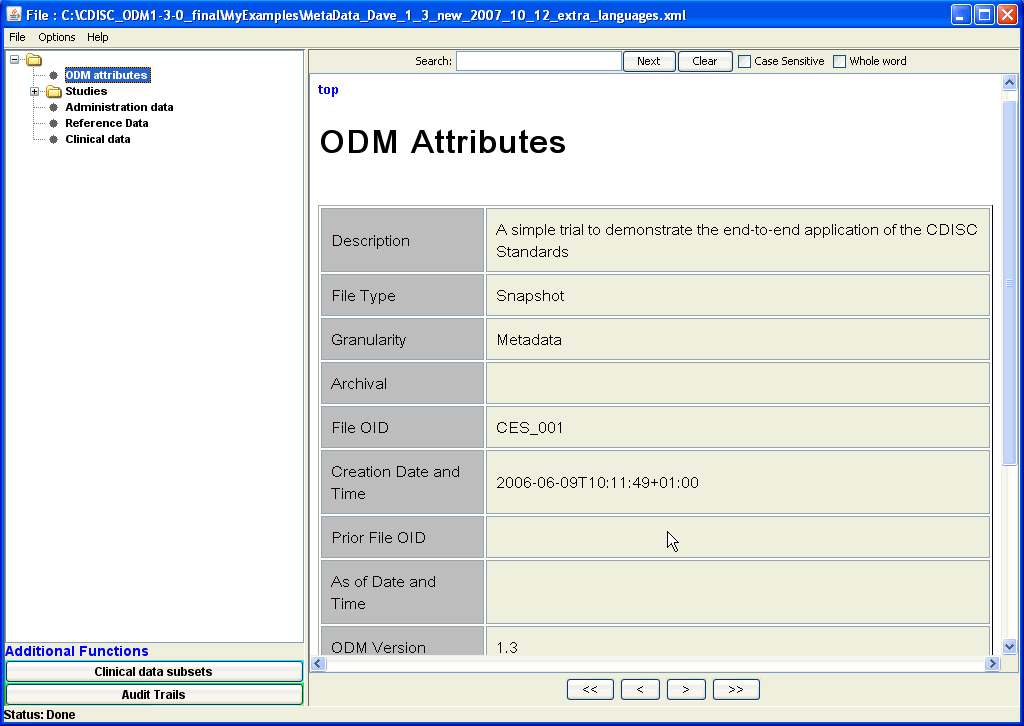
After loading an ODM (1.1, 1.2 or 1.3/1.3.1 version), it displays the structure as a tree (left side pane), which the user can expand or collapse. If one
of the leafs of the tree is clicked, the corresponding data is collected from the ODM file and visualized in one or more tables (right pane). |
 |
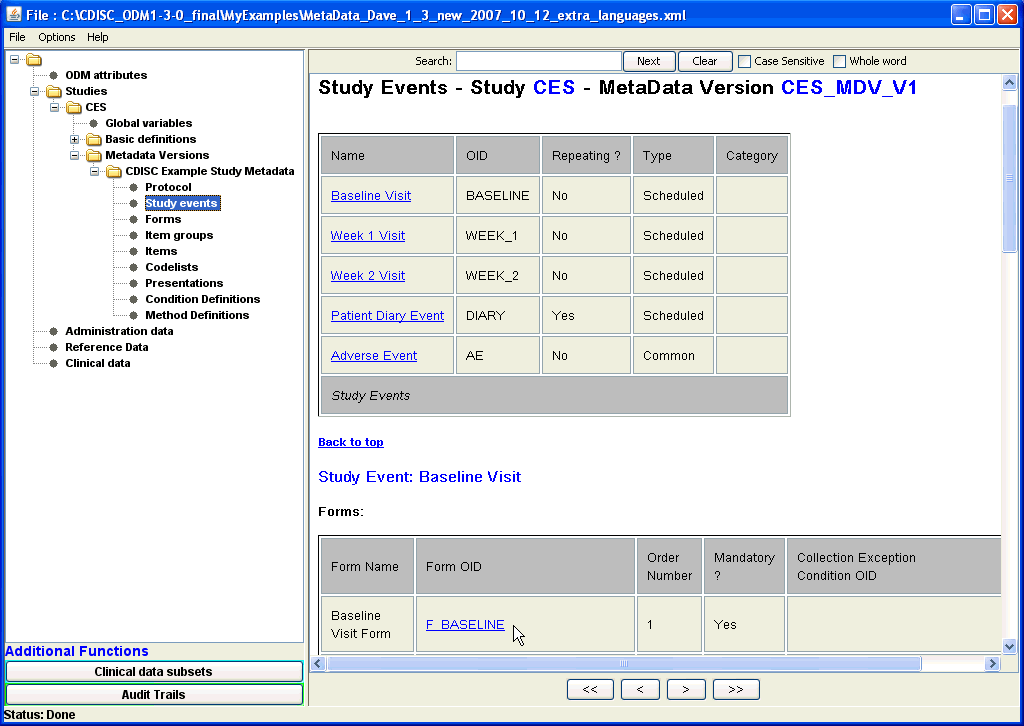 |
For example, a full overview in tabular form of all study events (i.e. visits) described in the ODM file can be generated by expanding the tree
to the correct metadata version under Studies, and clicking the "Study events" leaf node. This then shows that there are five Study Events scheduled, with all the
available information about them, and with hyperlinks to additional information, i.e. which forms are used and in which order they shoud be used.
Enlarged screenshot ... |
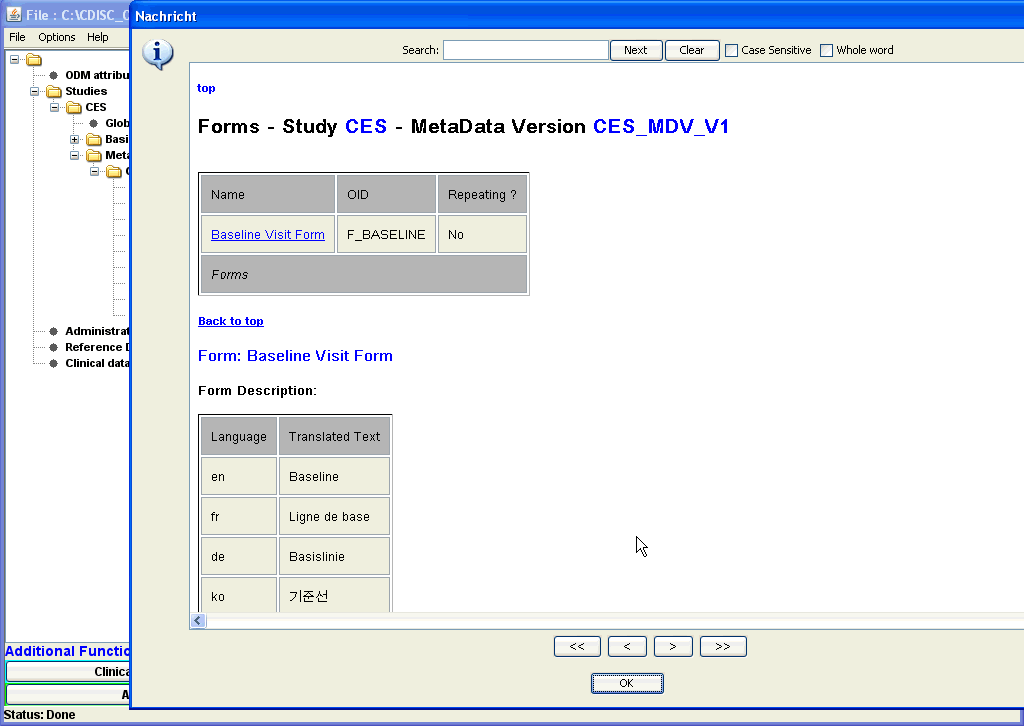
| When going to one of the list of used forms for any of the visits (either by scrolling or using the hyperlink), one can get further information
about each single form, by clicking the hyperlink. For example, when clicking "F_BASELINE", a new windows opens, and all details of the "Baseline Form" are displayed. Enlarged screenshot ... |
 |
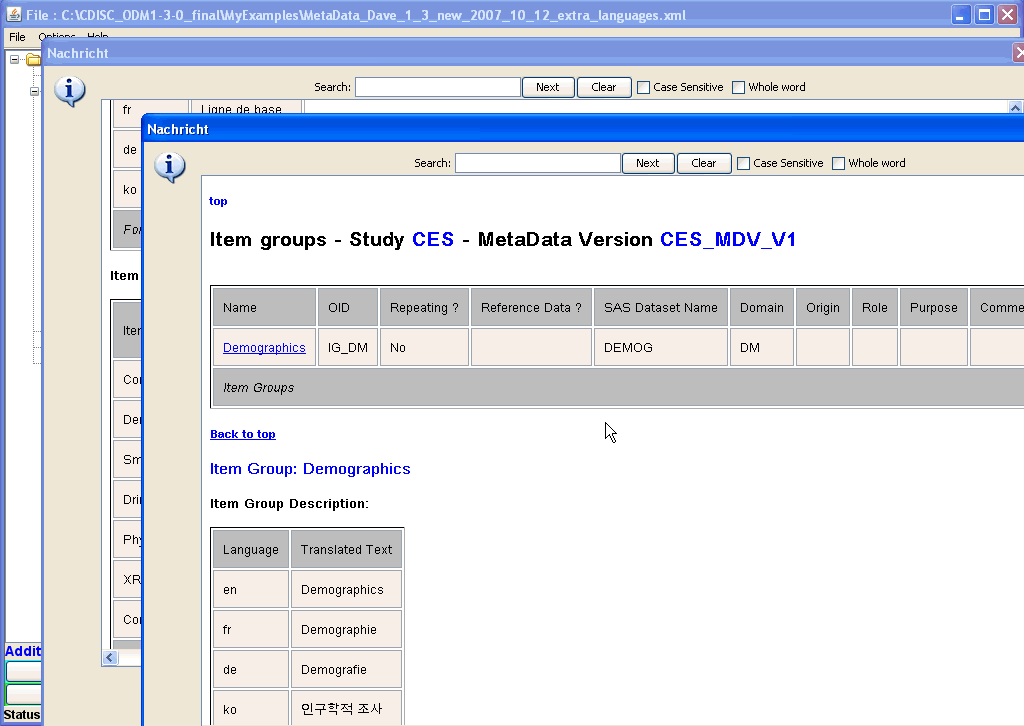 |
In the new window with the details for the Baseline Form, one sees which groups of items are used for this form.
Also here, one can select a single ItemGroup, and when clicking its hyperlink, again a new window shows up, displaying the details of the
selected ItemGroup. Like this, one can always "dive" deeper and deeper into the structure of a form, a subform (ItemGroup), a question (ItemDef), even to the level of condition definitions and of method definitions. Enlarged screenshot ... |
|
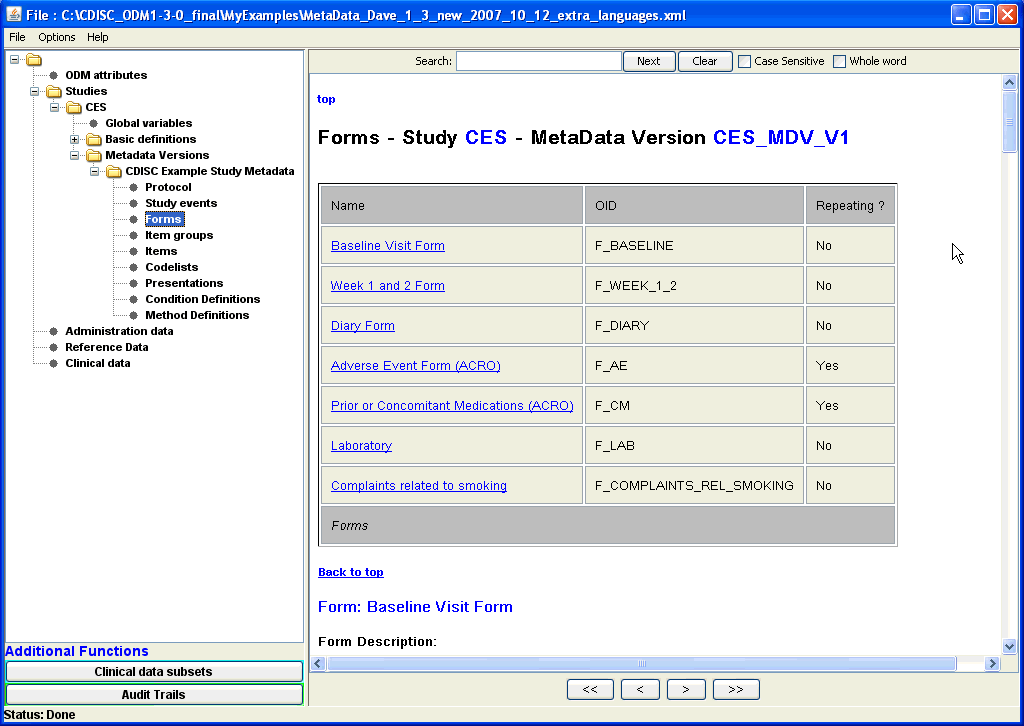
A list of all forms used in the study can be obtained by clicking on the "Forms" leaf node in the tree (on the left side of the screen), a list of all available forms, whether they are repeating, which Item Groups they have, etc., is displayed.
As can be seen both the IDs of the forms as well as their assigned name is shown. The ODM terminology is as much as possibly hided for the user, so that
also users that are unknown to the structure of the ODM and its element and attribute names can use the ODMViewer very easily. For ease of navigating between tables, hyperlinks are again provided, and one can easily dive into the smallest details of what is in the forms by using the hyperlinks. Enlarged screenshot ... |
|
Similarly, one can inspect the list of all subforms (ItemGroups), questions (Items), controlled terminology (CodeLists) and the list of conditions and calculation methods used in the study (ConditionDef and MethodDef). Diving deeper and deeper into the structure of content can always be done using the hyperlinks.
 |
A very nice feature of the viewer is, that when scrolling in the HTML view, one can easily return to a previous scroll position using the navigation buttons near the bottom of the screen. This is a functionality that even commercial browsers do not provide. |
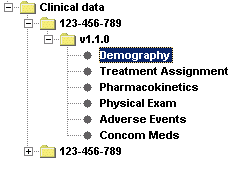 |
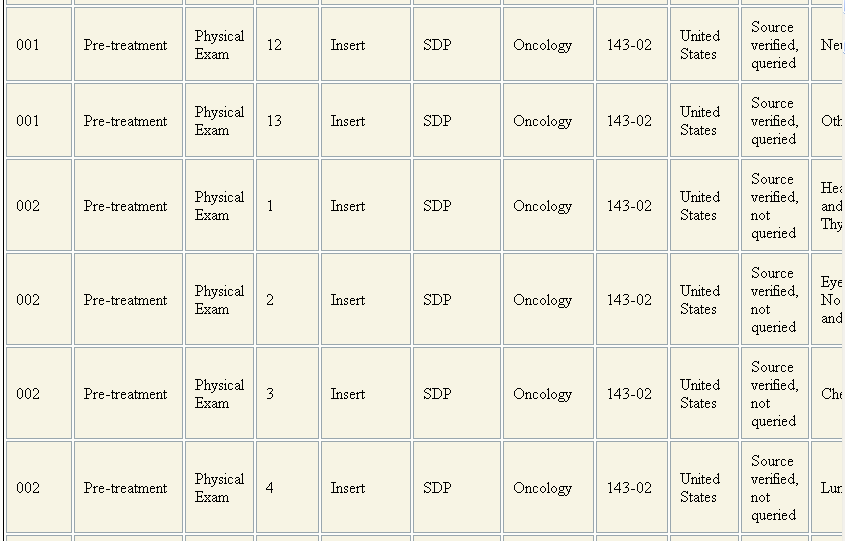
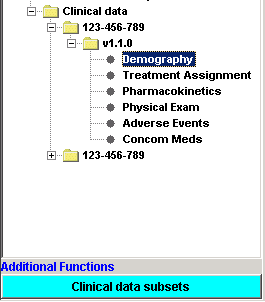
For the Clinical Data, the software lists all the data by Item Group. It automatically finds all the available ItemGroups in the ClinicalData section of the ODM file, collects the data for them, and shows them as a list in the left pane. The user can then choose for which Item Group he/she wants to see the data, which is then nicely formatted into tables. Also the Audit Records information, Signature information, and if present, the Annotations are shown. |
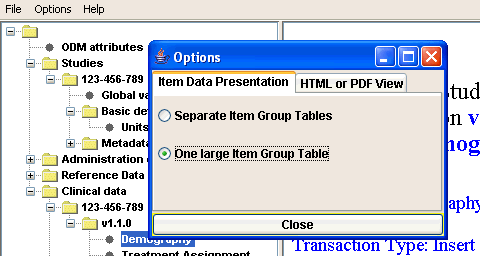
 The Demographics tables - a table is created for each subject / form combination. |
 If present in the file, also the Audit Record information is displayed |
 |
 |
 |
Special functions can easily be added to the application. By default, functionality has already been added to select specific studies, metadata versions, sites and investigators, subjects, visits (study events), forms and item groups. As such, an infinite number of subsets of clinical data can be created for which the data is then visualized in a number of tables (one for each Item Group). |
 The "Subsets Panel" to make the selections |
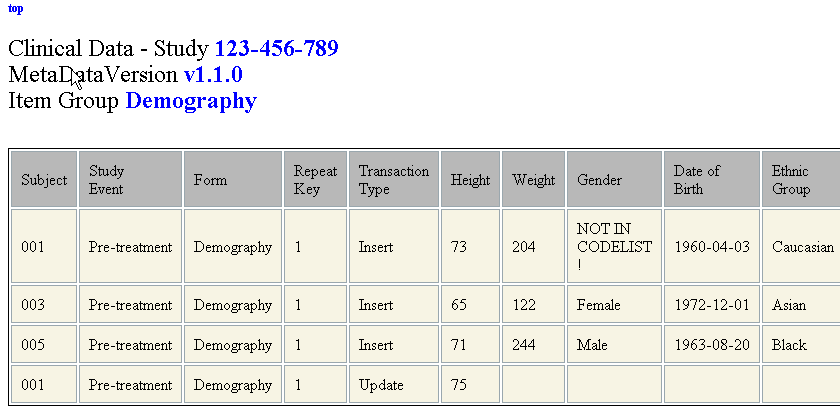 and the resulting set of tables. |
Each HTML view can also either be displayed as PDF within the application, or saved as a PDF file. Like this, one can generate full reports.
You can download a custom PDF report generated by the ODMViewer here.
Choice beween displaying ItemGroups in the clinical data tree either only with the 'Name' (from the ItemGroupDef) or with the 'Name'+'OID'. The latter should be used when the names of the ItemGroups are not unique.
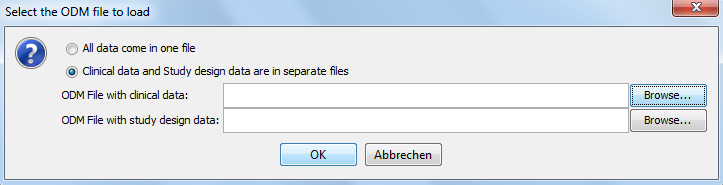
Version 1.5 allows to load a file with metadata (study design) and a separate file with clinical data together
into the viewer (earlier versions required all data to be in the same file).
Furthermore, the handling of "inherited" AuditRecords, Signatures and Annotations has been improved.
Many smaller enhancements have also been implemented.
Besides adding support for ODM 1.3.1, this new version is characterized by a change in technology for loading the XML and executing the underlying XPath expressions.
By the use of VTD-XML technology, the software has become considerably faster
and consumes considerably less memory, especially in the case of large ODM files.
Furthermore, ODM files containing vendor extensions are now accepted. The extension elements/attributes are however not displayed.
In case you need a viewer for ODM files with vendor extensions, please ask for a tailorization.
In version 1.3, we have further extended the delivered functionality of the viewer. The "deep" hyperlinking is just one example.
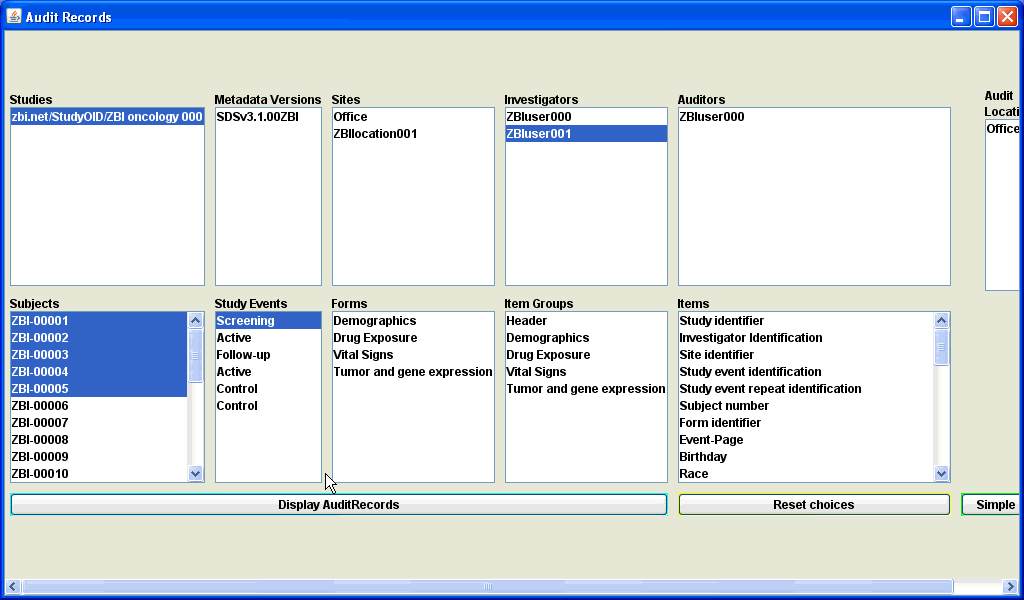
Also in version 1.3, we have started providing functionality for working with audit trails.
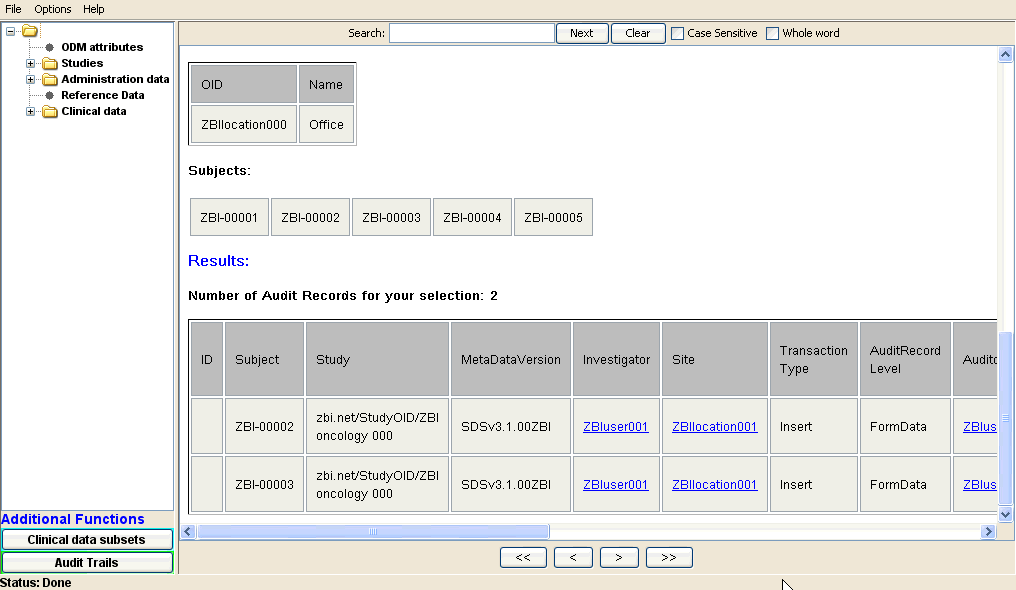
The user can now, by clicking the "Audit Trails" button, create subsets of audit records for groups of subjects, sites, investigators, forms, etc..
All the audit records for that subset are then displayed.
|
|
Also using these subsets (or of course: all auditrecords), one can generate simple statistics using the "Simple Stats" button
A very simple example (as PDF report) can be found here
We have constructed the ODMViewer so, that additional functionality can easily be added. This can be already existing functionality, like the one for adding and verifying electronic signatures, or the CDISC ODM Checker, but it can also be functionality that is created according to your own specifications.
As such the ODMViewer can easily be extended into a veritable ODM Workbench, tailored to the needs of your company.A single copy (perpetual license - no yearly license fees) of the ODMViewer is available for the price of Euro 1000 (US$1200), when your company is a CDISC member. Non-members pay Euro 1500 (US$1800).
For larger quantities, or for a company license, please ask for a quote (considerable discounts apply).
If you would like a customization for your company, or would like additional functionality, please contact us.
If you would like to try out the ODM Viewer before you decide to buy a license, you can download an evaluation version of the software (9 MB).
After you have download and unzipped the distribution, look for the file ODMViewer_1_6_installation_instructions.pdf in the "Documentation" directory. You will also need a temporary license file. Please just send us an e-mail with your full name, address and company/institute affiliation (anonymous requests are not accepted).
